- Yes, you can do it. I got my travel blog through the whole flow and it now has a profile.
- The form asks if you’re a shop or a physical location. Those are the only 2 answers, so pick online shop.
- Search the category list for “media”, because “blog” returns nothing at all.
- You’ll need a DNS record, and the token expires about 24 hours after you start.
- The numbers stay locked until you hand a government photo ID to a verification company.
ChatGPT opened a Business Hub on 10 November, and my feed filled up with walkthroughs within days. Claim your business. Verify your domain. Get found by AI. Every single one of them was written for someone with a shop, so I had no idea whether any of it applied to a travel blog.
So I ran it on nomadmum and screenshotted the whole thing. It works.
You Can Open It From Anywhere, on a Free Account
First surprise. Half the coverage says this is a US thing, and I’m in South Africa on a free ChatGPT account. The hub opened anyway, in German, with a search box.
OpenAI’s own announcement says 2 different things about this, which explains the confusion. One line says eligible businesses can claim wherever ChatGPT is available. Another says it’s for eligible ecommerce and online service businesses in the US. There’s no country list anywhere. Just try it and see what you get.
Your Blog Is Probably Not in the Directory
I searched for nomadmum. What came back was Nomad Restaurant Montecasino, Nomaad Hemingways Mall, Nomad Studio SA, Nom Nom Jewels. Shops and restaurants with street addresses, all of them in South Africa, which is where I am.
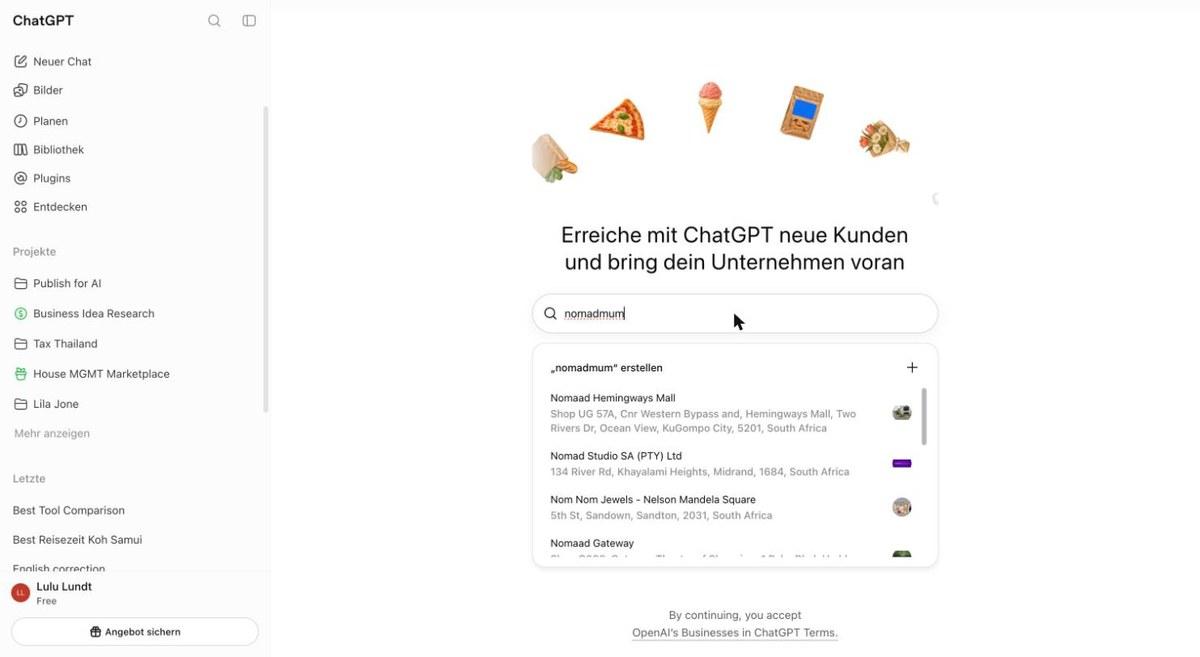
My blog has been online since 2021 and it’s nowhere in there. That tells you what this index was built from. If your blog isn’t in it either, take the create option at the top of the list.
The First Question Has No Answer for a Blog
This screen nearly ended the whole thing for me. ChatGPT asks how customers normally reach you, and offers exactly 2 answers.
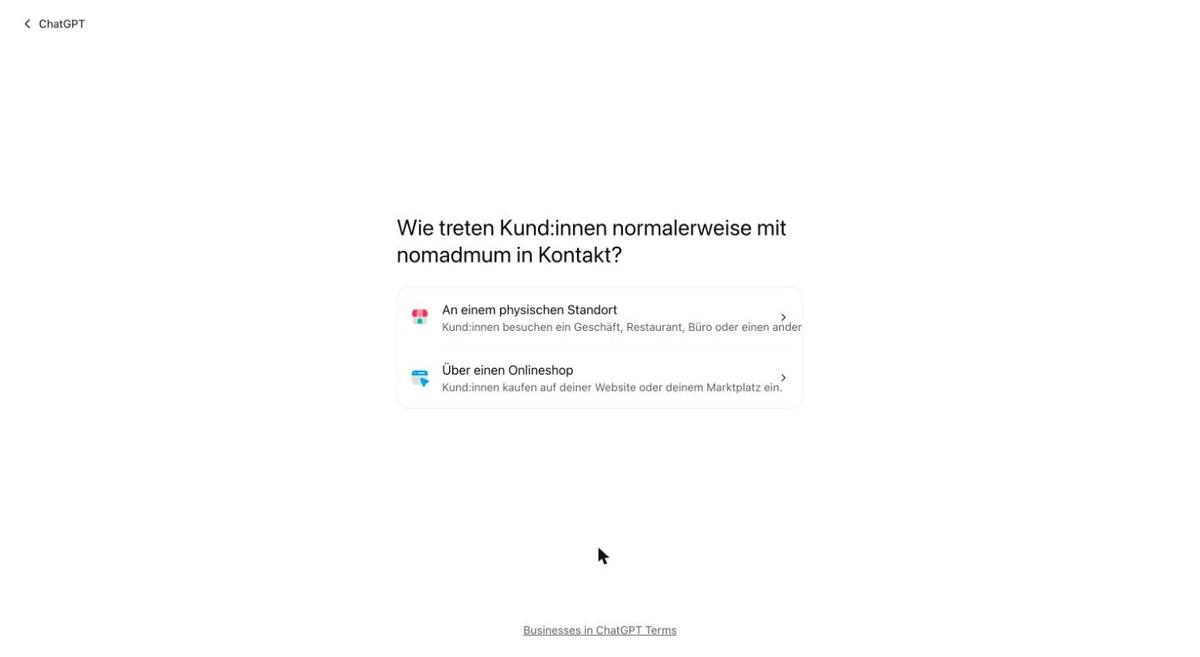
A physical location, meaning a shop, restaurant or office. Or an online shop, where customers buy on your website. My blog is neither. Nobody visits an office and nobody buys from me. I earn when a reader clicks a hotel link and books somewhere else.
I sat with that for a while, because OpenAI’s policy says your information must truthfully represent the business, and the same page says profiles can be removed. Picking a wrong box to get through a form is a rubbish trade.
I picked online shop anyway, because it’s the closer of the 2 and because I wanted to see what was behind it.
Then It Wants a DNS Record, and the Clock Starts
Next it asks for your website. I typed in nomadmum.com and got a TXT record to add to my DNS: a host called openai-business-profile and a long token.
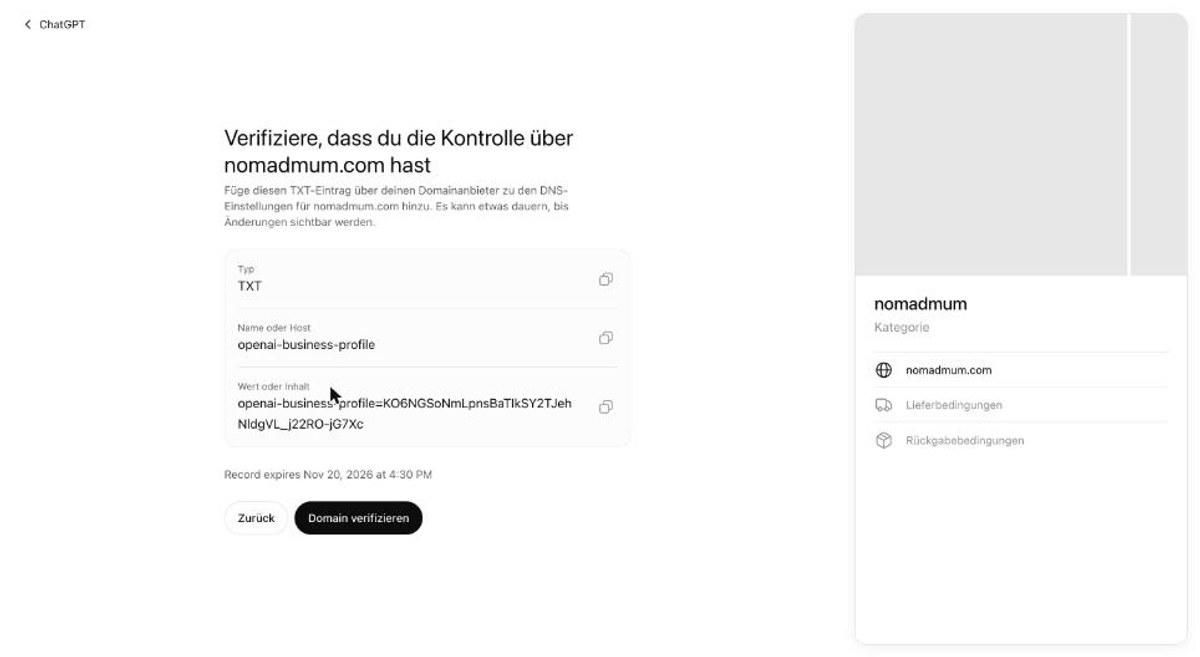
Look at the small print under the token. Record expires Nov 20 at 4:30 PM. That’s roughly 24 hours, which is fine if you run your own DNS and annoying if you don’t.
Mine lives with my host, so I had to go through their portal. If you’re on managed hosting and you’ve never touched DNS, budget for that before you start, because the token dies while you’re waiting on support.
2 practical things. Copy the token with the copy button and don’t retype it, because mine contained a capital i that looks exactly like a lowercase L. And in the host field enter only openai-business-profile, since most DNS panels add your domain for you.
Mine was live within a minute and verification went through on the first try.
ChatGPT Thought I Sell Children’s Clothing
Verification passed, and the next screen asks for a category. ChatGPT had already read my site and made 2 suggestions.
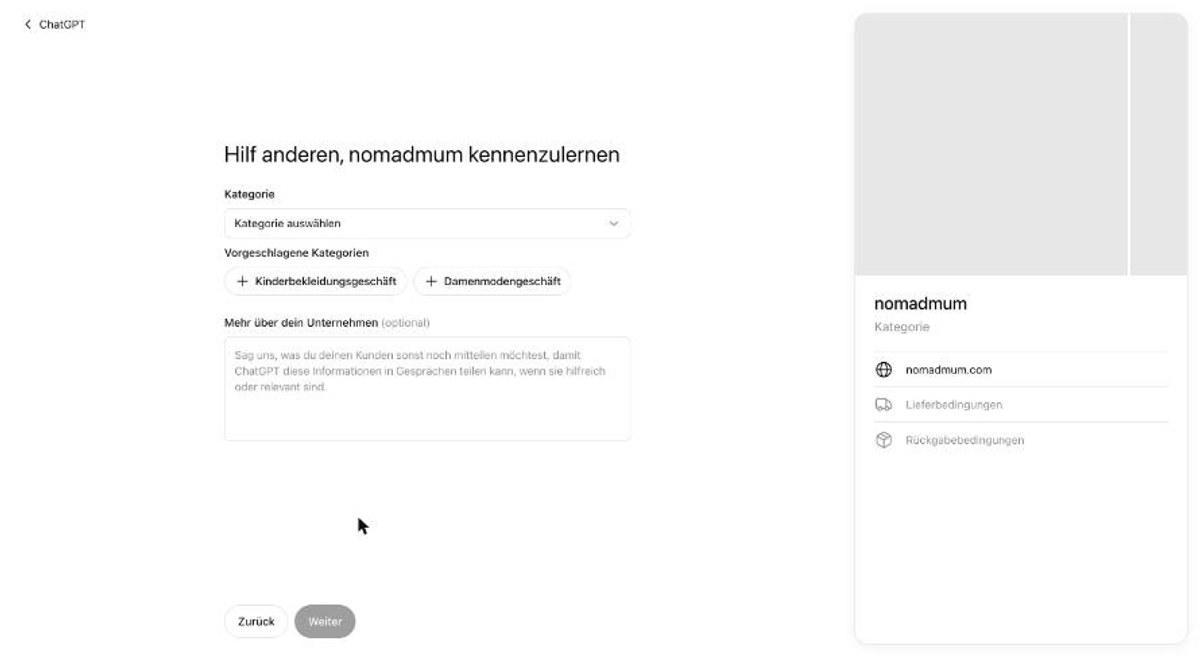
Children’s clothing store. Women’s fashion store. For a family travel blog. I laughed, and then I thought about what that means for the answers ChatGPT gives about me, which is less funny.
Search the List for Media, Not Blog
The category field is a searchable list, so I went looking for something that fits. Typing blog gets you nothing.
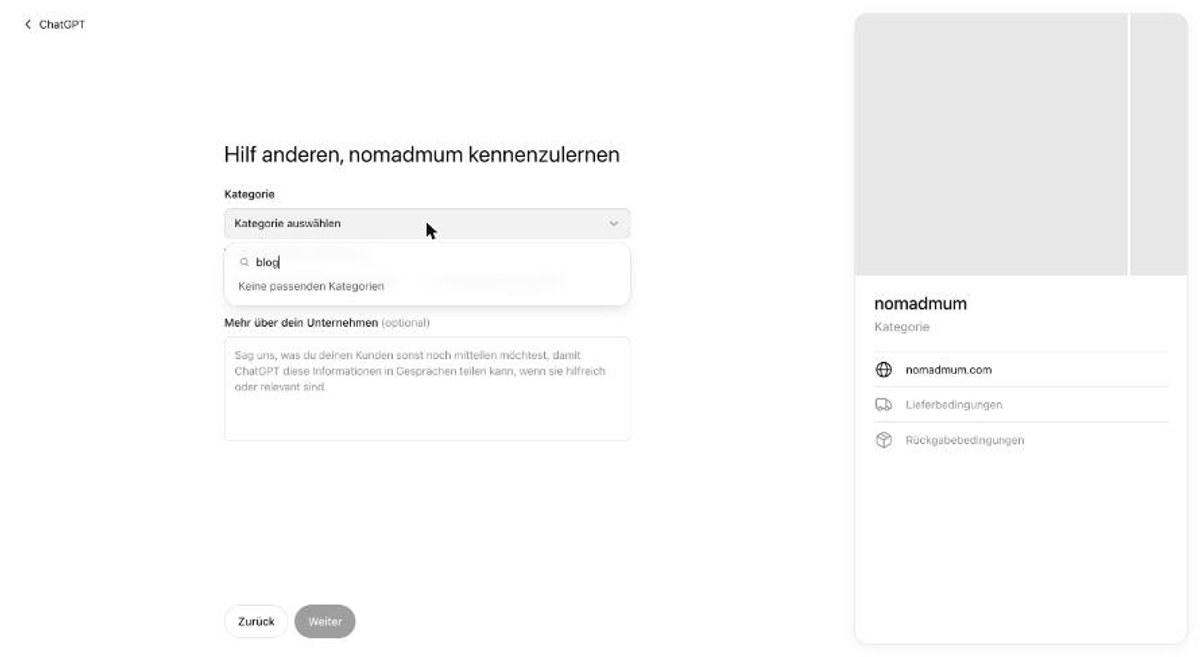
Travel is no better. You get tour guide, tour operator and travel agency, which are 3 businesses I do not run.
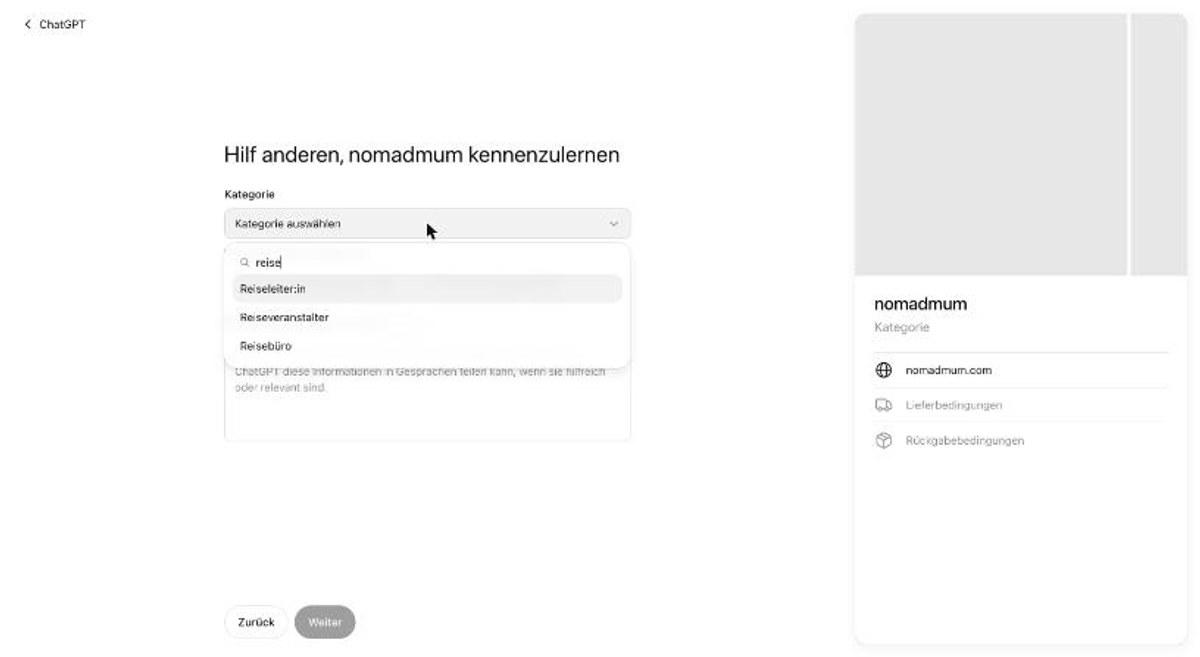
Then I tried media, and there it was.
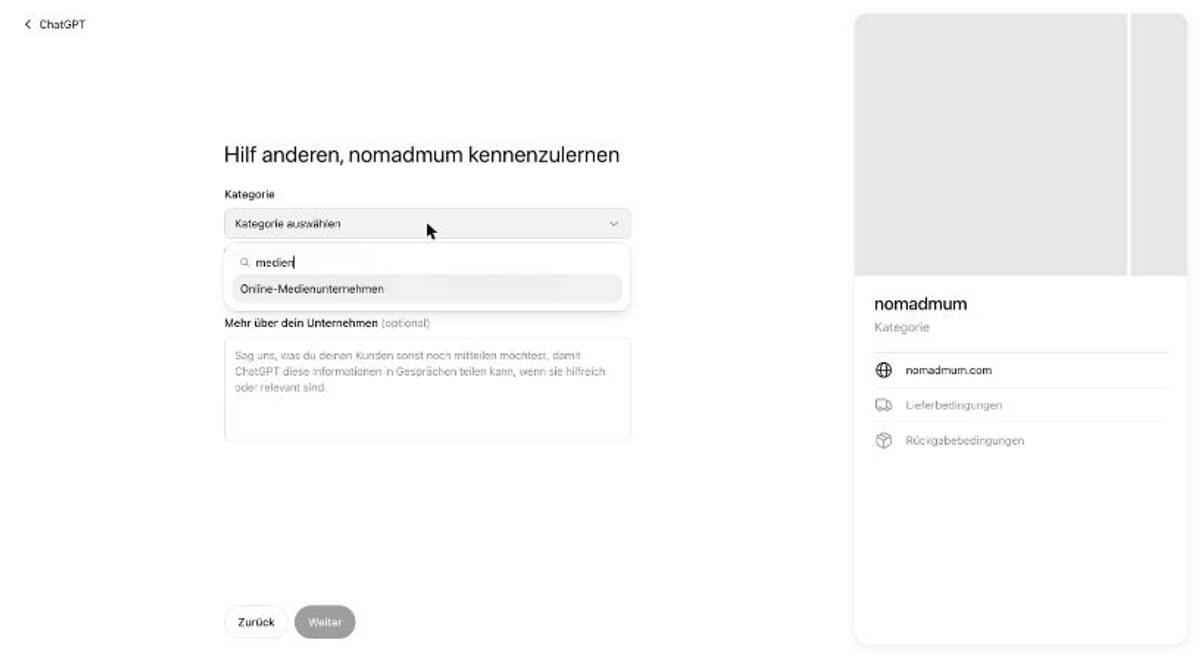
Online media company. That’s a travel blog, accurately described, in ChatGPT’s own list. Which means the category list knows publishers exist and the question before it does not. If you only take one thing from this post, take that: push past the shop question, then search media.
Now It Asks About Shipping and Returns
Having told ChatGPT I’m an online media company, I got asked what delivery options I offer.
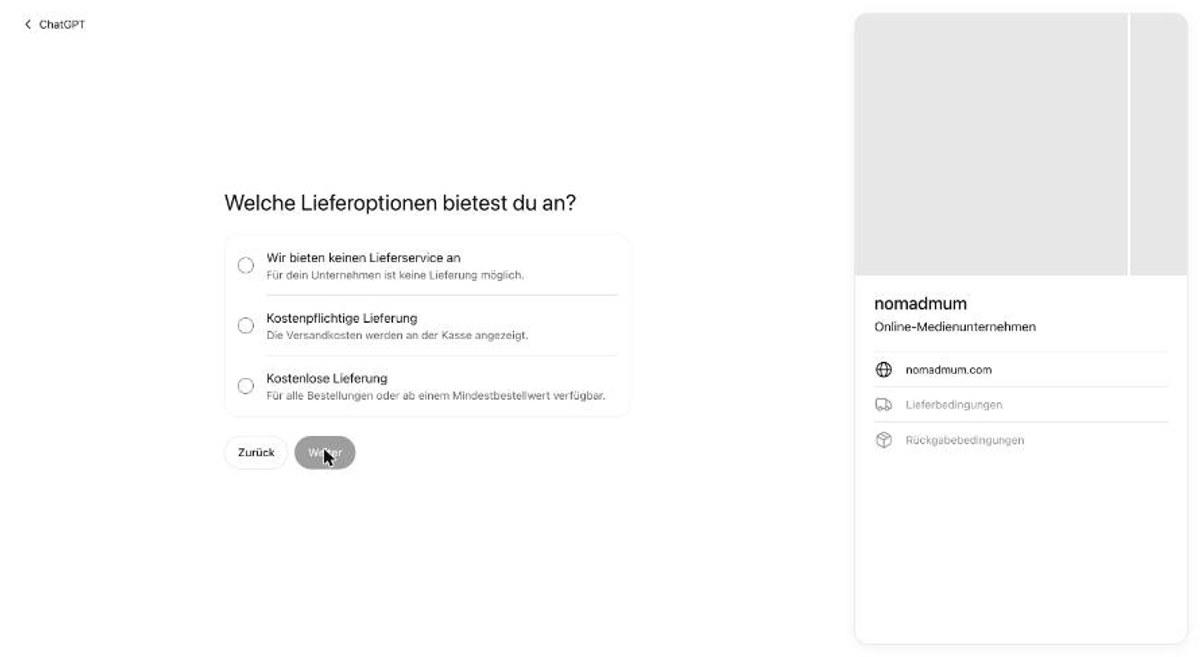
There’s a no delivery service option, which for a blog is the true answer, so that’s what I picked. Then it asks about your return policy and the same thing applies.
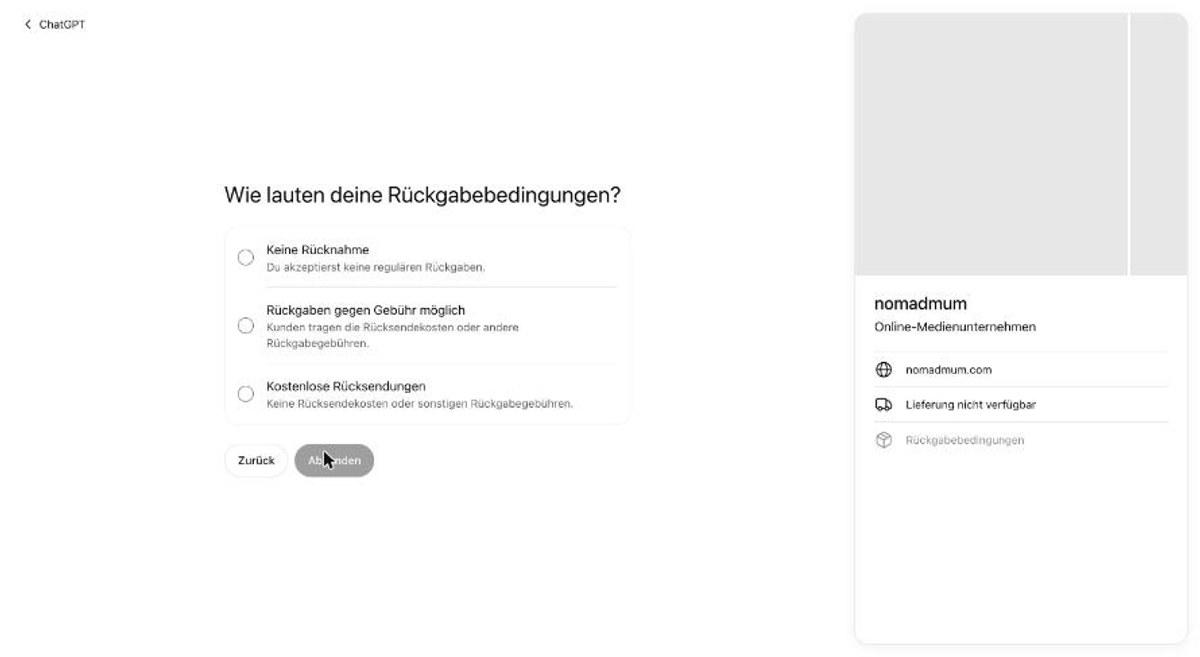
No returns. Both of those now sit on my profile, which is accurate and still faintly ridiculous.
The contact fields before this step are optional. I left my phone number and email blank, because that profile is public and I’d rather decide about my inbox separately.
It Saves as a Draft, and the Numbers Stay Locked
One click on submit and nomadmum had a profile.
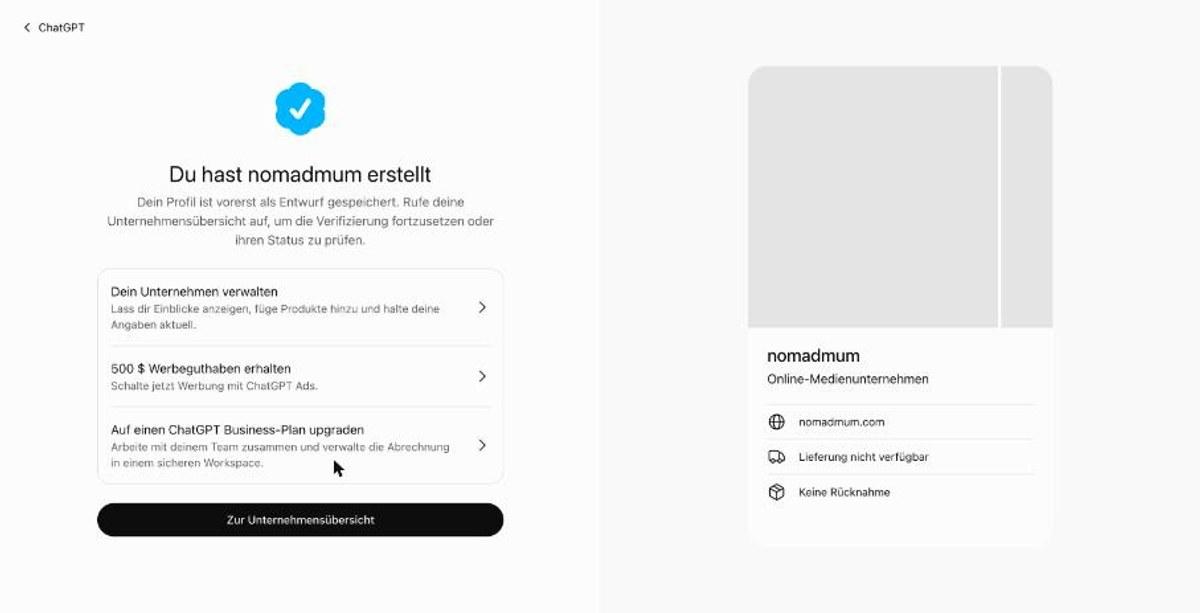
Saved as a draft. The overview shows a blue check next to my name for the verified domain, and underneath it a banner that none of the guides I read had mentioned.
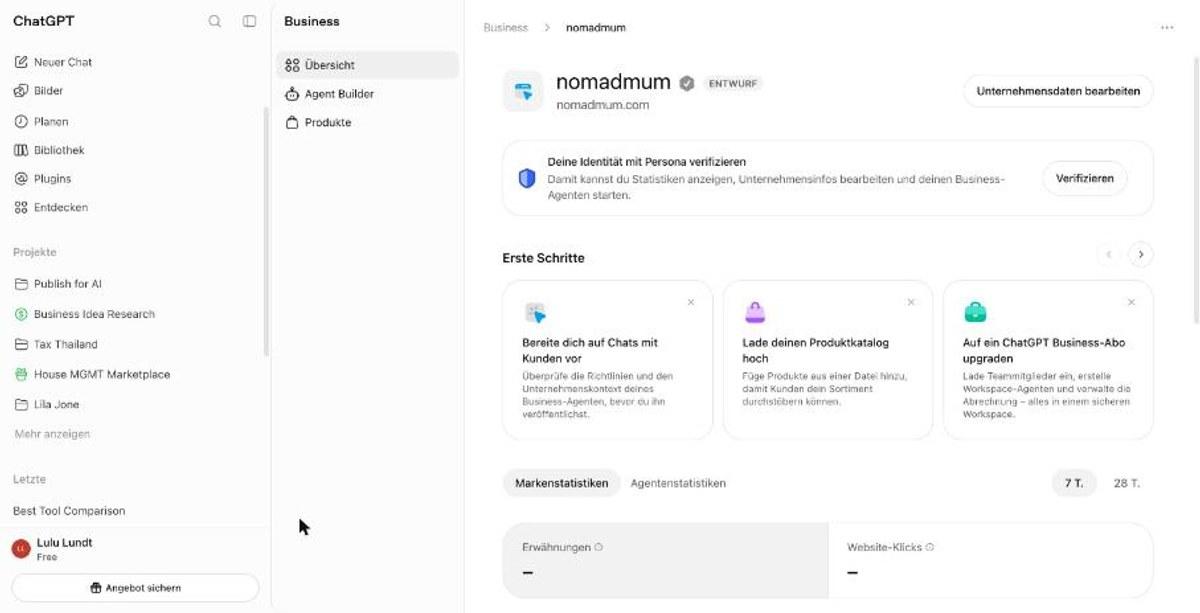
To see your statistics, edit your business information or build an agent, you have to verify your identity with Persona. That’s a government photo ID. Until you do, the mentions and website clicks panels sit there showing a dash.
So the honest summary of what I got for an afternoon of clicking: a draft profile, a verified domain, and 2 empty boxes.
What OpenAI Says This Does for You
Before you decide whether the ID is worth it, read what OpenAI says about the payoff, because the guides skip this part. Claiming doesn’t guarantee increased visibility.
What you do get, once you’ve done the ID, is aggregate activity for the past 28 days: mentions and website clicks, plus the themes that came up in answers mentioning you. Your readers’ conversations stay private.
It’s a free number and most AI visibility tools charge for less. It’s also 28 days, lumped together, ChatGPT only. If you want to know which of your pages gets cited and where, that’s a different job and I wrote up how I do it in how to check if ChatGPT is citing you.
And then there’s the offer that popped up the second my profile existed: 500 dollars of advertising credit for ChatGPT Ads. The help pages say advertising doesn’t influence ChatGPT’s answers. I’m noting both and leaving you to it.
Should You Bother?
If you sell something on your own site, yes, go and do it. The shop questions will make sense to you, the whole thing takes 20 minutes, and the claim costs nothing.
If you’re an affiliate or ad-funded blogger like me, it’s a maybe. The profile is free and it gives you a say in how your site gets described, which beats ChatGPT guessing children’s clothing. The stats cost you a photo ID, and that’s the part I’d think about rather than rush.
And if someone offers to claim your business in ChatGPT for a fee, now you know the claim is free and the form is a handful of screens. For the groundwork that works whether or not you have a profile, there’s how to get your business found by AI search.
Key Takeaways
- ✓Business Hub opened for me from outside the US on a free ChatGPT account, so try it before you believe the US-only headlines.
- ✓The directory is built from physical businesses, so your blog probably isn't listed and you'll create a new entry.
- ✓The business type question offers a physical location or an online shop. Pick online shop, because there is no third answer.
- ✓Searching the category list for blog returns nothing. Search media and choose online media company.
- ✓The DNS token expires in roughly 24 hours, so sort out DNS access before you start.
- ✓Copy the token with the button. Mine had a capital i that reads exactly like a lowercase L.
- ✓OpenAI states that claiming doesn't guarantee increased visibility, and the 28-day stats unlock only after a government photo ID check.
Questions
Frequently Asked.
Can You Claim a Blog in ChatGPT's Business Hub?
Yes, with a workaround. The first question offers only a physical location or an online shop, and a blog is neither, so you pick online shop to get past it. The category list that comes afterwards does include online media company, which describes a blog accurately. I ran my own travel blog through the full flow on 19 November 2026 and ended up with a draft profile and a verified domain.
Is ChatGPT Business Hub Only Available in the US?
OpenAI's own announcement says 2 different things. One line says eligible businesses can claim wherever ChatGPT is available, another says the feature is for eligible ecommerce and online service businesses in the US. No country list has been published. I opened it from outside the US on a free account and completed the whole claim, so the claiming side is wider than US-only.
What DNS Record Does ChatGPT Need to Verify a Domain?
A TXT record. The host is openai-business-profile and the value is a long token that ChatGPT generates for you. Enter only openai-business-profile in the host field, because most DNS panels append your domain automatically. The token expires about 24 hours after it is issued, so have DNS access ready before you start. Phone, business email and Shopify are offered as alternative verification routes depending on the listing.
Does Claiming Your Business in ChatGPT Get You Recommended?
OpenAI says it doesn't. Its help page states that claiming doesn't guarantee increased visibility, and that advertising doesn't influence ChatGPT's independent answers. What a claimed profile gives you is control over how your business is described and, after identity verification, a 28-day view of mentions and website clicks. Any guide promising more than that is making its own claim, not OpenAI's.
Why Do I Have to Verify My Identity With Persona?
An approved claim gets you a draft profile and nothing else. Publishing changes to your business information, seeing any statistics, connecting a product feed or building a Business Agent all require identity verification with Persona, which means a government-issued photo ID. Until that is done the mentions and website clicks panels stay empty, so decide whether that trade is worth it to you before you start.